Blog

Here you will find the current activities, postings and articles in context with the project.

The first five years of the past decade cloud services emerged and became popular, in the last five years they
Since its inception, Google has added more to its various tools, created a VR version that uses virtual reality, and
The CICERO project has among its objectives the preservation of cultural heritage through photography. Many times we find black and
The course was a great opportunity, not only for helping others to learn some of the more essentials digital competences
Unfortunately, CICERO in Spain, on March 13th we had to suspend in-class teaching due to COVID-19. So Arrabal-AID opened the
In Spain, the CICERO training course took place on 2020 during the months of February and March, developing by Arrabal-AID.
Smartphones offer tools for image editing. Most people do not know them or are not experienced enough to use them.
The CICERO training course started in Austria with February 2020. Twelve people attend currently the course guided by Peter Mazohl,
The abbreviation JPG (or JPeG) stands for "Joint Photographic Experts Groups" and has been developed in the beginning of digital
In the frame of the CICERO project a special course focusing on Digital Photography is created with a lot of

10 options to save your photos or files in the cloud

The first five years of the past decade cloud services emerged and became popular, in the last five years they have been established. In a first stage of growth, the price of GB decreased year after year as the services offered more storage plans at the cost of maintaining the subscription price. A trend that no longer occurs as much as before, in the last five years prices have practically not changed.

Absolutely no increase in recent years. All services have kept the same amount of GB available for free and even Microsoft’s OneDrive has reduced it from 15 GB to 5 GB. What the services have done is to add more features to their platforms, such as free photo upload or extra tools:

Google One Microsoft OneDrive Apple iCloud Amazon Drive Dropbox
2015 15 GB 15 GB 5 GB 5 GB 2 GB
2016 15 GB 5 GB 5 GB 5 GB 2 GB
2017 15 GB 5 GB 5 GB 5 GB 2 GB
2018 15 GB 5 GB 5 GB 5 GB 2 GB
2019 15 GB 5 GB 5 GB 5 GB 2 GB
2020 15 GB 5 GB 5 GB 5 GB 2 G

Where’s the cheapest GB?

Google One Microsoft OneDrive Apple iCloud Amazon Drive DROPBOX
50 GB 0,0398 dollars 0,0198 dollars
100 GB 0,0199 dollars 0,0099 dollars
200 GB 0,0299 dollars 0,0149 dollars
1 TB 0,0069 dollars 0,0049 dollars
2 TB 0,0049 dollars 0,0049 dollars 0,0059 dollars
3 TB 0,0066 dollars
6 TB 0,0016 dollars
10 TB 0,0099 dollars

We leave you the most popular and open source options to specify your images and documents in the cloud:

Dropbox: https://www.dropbox.com/
Microsoft OneDrive: https://onedrive.live.com/
Google Drive: https://www.google.es /drive/apps.html
Apple iCloud: https://www.icloud.com/
Mega: https://mega.nz
Amazon Drive: https://www.amazon.com/b?node=15547130011
Caja: https://www.box.com/es-419/home

Open source options:

Own Cloud: https://owncloud.org/
Pydio: https://pydio.com/
LinShare: https://www.linshare.org/en/index.html

#StayAtHome but visiting all World, and turn your photos into works of art

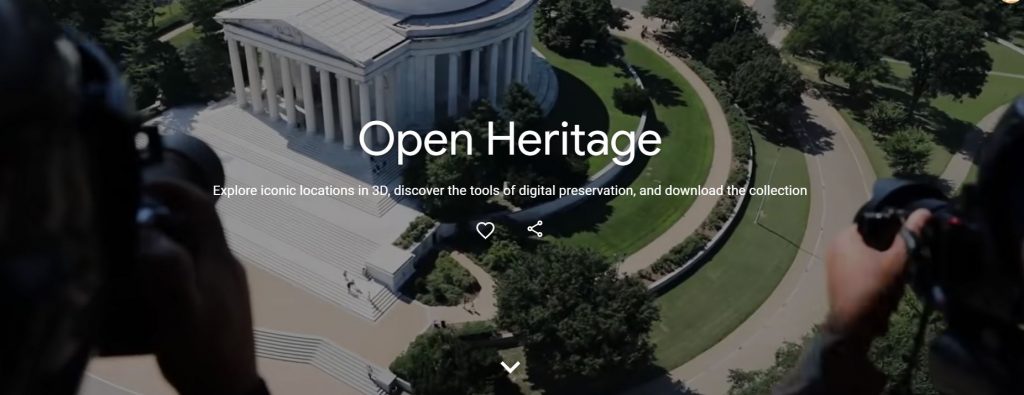
Since its inception, Google has added more to its various tools, created a VR version that uses virtual reality, and has even released special collections on commemorative dates.

The quarantine caused by the COVID-19 epidemic has left millions of people unable to leave their homes. Here we leave you a leisure option to distract you that will keep you entertained in a good time, in addition to increasing your knowledge of art.

This is Google Arts & Culture, a web page of the famous search engine, also available in an application, where you can discover works, heritage monument,  and art collections from around the world from your sofa.

It is a project carried out in collaboration with more than 250 art institutions around the world, and that has tens of miles of works of art by more than six thousand artists, as described on its website.

Also, you can turn your photos into works of art

Google offers us a new specific function ‘Art Transfer’ that allows us to apply a photo of our style to some of the most famous paintings in history.

This feature is already available in the ‘Google Arts & Culture’ application for iOS as Android.

If you like the twist of the whirling movement of Vincent Van Gogh’s paintings or the surreal brushstrokes of Frida Kahlo, you can now use the most recognizable styles of the most famous artists to transform your own photos.

The new ‘Art Transfer’ function of the Google Arts & Culture application allows you to take a photo (or use one of the ones you have stored) and transform it into a classic work of art. The process for this is identical on both platforms and, as we will see below, it is quite simple:

  1. Open the Google Arts & Culture app.
  2. Within the ‘Camera’ menu, which you will find in the bottom bar, select “Art Transfer”.
  3. Capture a photo or upload one that you have stored on your phone.
  4. Select one of the masterpieces to transfer that style to your image.
  5. If you want to further customize your image, you can use the scissor icon to select where in the image you want the style to apply.
  6. When you are satisfied with your work, click on ‘Share’ and you can save it to your phone or share it through different applications. The result can be saved / shared as a still image or as a GIF showing the transformation.


Transform your photos from black and white to color, in seconds.

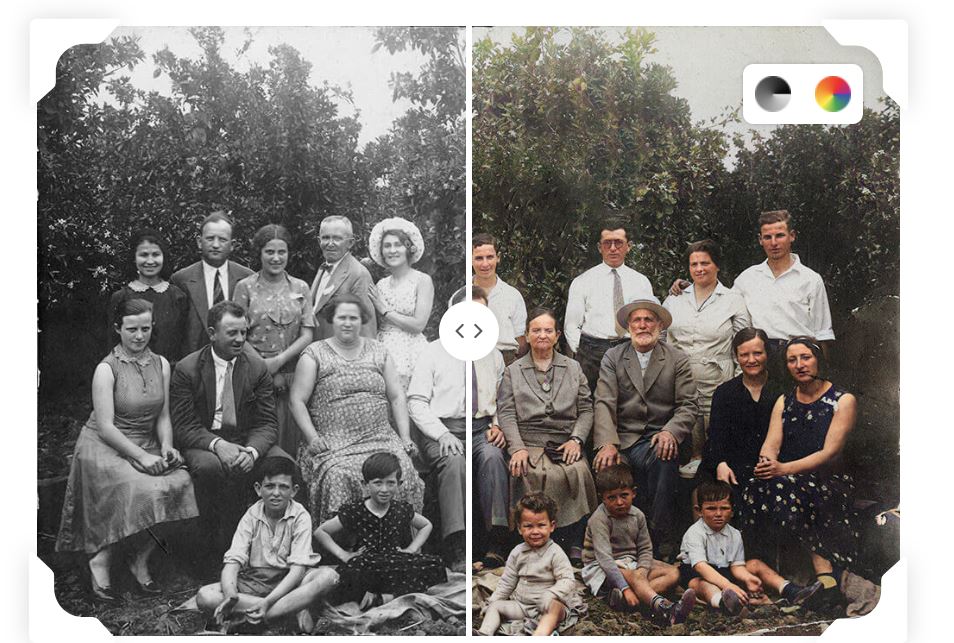
The CICERO project has among its objectives the preservation of cultural heritage through photography. Many times we find black and white images of family, monuments, or shows, and how would they be in color? With this online tool it is already possible to do it automatically (available in more than 30 languages): www.myheritage.com/

Colorize your black & white family photos automatically with the world’s best deep learning technology. Share with your family and friends and delight them.

The colors are reconstructed by the colorization algorithm and may not be accurate. Consider this a technological simulation that gives its best guess on what the past looked like, by bridging between the past and the present. The model was trained by millions of example photos, and thanks to this it is capable of generating very realistic results. But there are cases where it has no way of knowing what the true colors were (for example, for specific items of clothing) and this may result in incorrect colors.

Visit the web gallery of transformed images like this:

The first CICERO course in Spain ends

The course was a great opportunity, not only for helping others to learn some of the more essentials digital competences through such a creative tool that is photography, but also for testing our tools to provide this knowledge and to identify both, the strongest and the weakest points of the course.

Students were very active, with a really participative attitude, letting us to know every question they had and each issues they found while approaching the different tools, such as photo editing tools (Pixlr E).

Notwithstanding the difficulties, we found really satisfactory results while reviewing students’ knowledge and assignments. All participants who have completed the course have received a certificate accrediting the completion of questionnaires and activities of the CICERO program.

PARTICIPANTS PICTURES

More pictures here


Cicero in Spain, Irruption of COVI19: working through a confinement situation

Unfortunately, CICERO in Spain, on March 13th we had to suspend in-class teaching due to COVID-19. So Arrabal-AID opened the Moodle platform to all the people who wanted to attend the course through online learning. In order to do this we had to adapt the Moodle course to the circumstances creating a progression system through online tests and practical proposals (that were adapted too the confinement situation). It was our contribution to the #stayathome movement. In this way, we had a 71,42% increase of the number of students, even though most of the people experienced troubles to enrol the course through Moodle platform.

During this distance-learning phase, we reviewed more than 66 tests, analyzed and commented 198 photographs, and given over 5 hours of mentoring solving over 40 questions with personalized answers and reference examples according to each students’ interests. As well as we produced illustrative content to clarify any question our students may have.

Also, we provide students with additional learning content such as professional references on photography, and analysis of relevant photographs from professional photographers (as well as of the own teacher’s pictures) in order to raise their sights on the field of Photography.


#StayAtHome


The Cicero course begins in Spain

In Spain, the CICERO training course took place on 2020 during the months of February and March, developing by Arrabal-AID. It was attended by 21 people, out of 25 people that enrolled for the course, which means that only 4 people dismissed the course.

This group is a reflection of the wide range of targets covered by Arrabal-AID, as it put together a huge variety of ages (from under 18 years old to over 60 years old) as well as it involved people from different social circumstances: people over 45, long-term or youth unemployment, illegal immigrants,  etc.

In-class structure

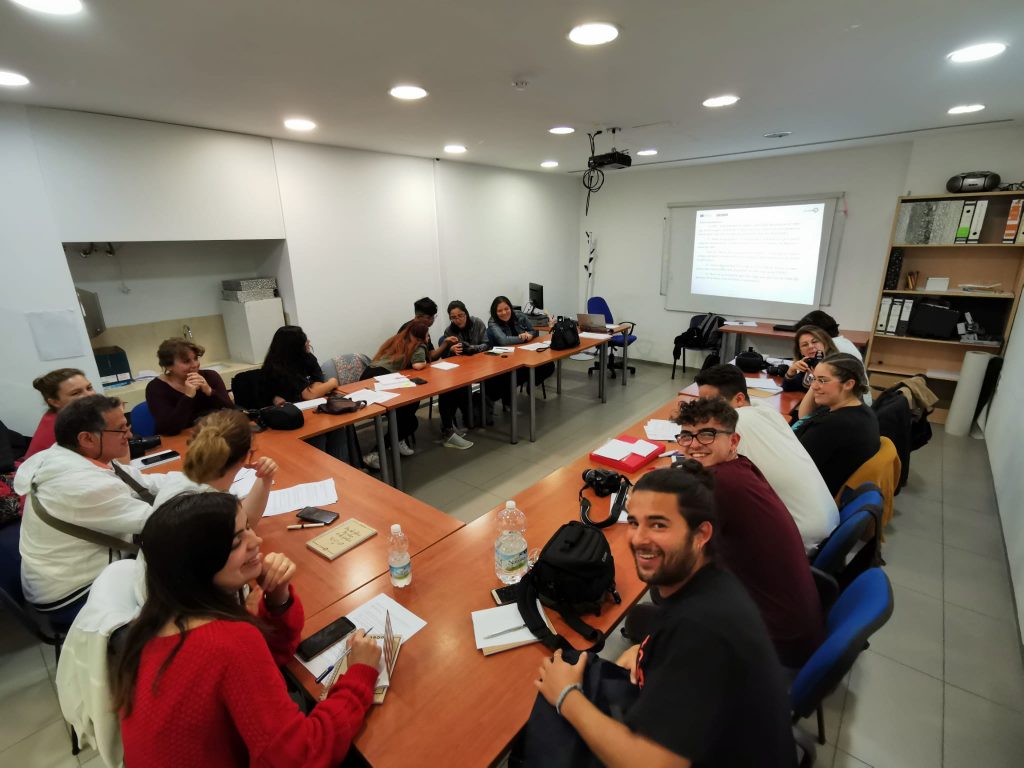
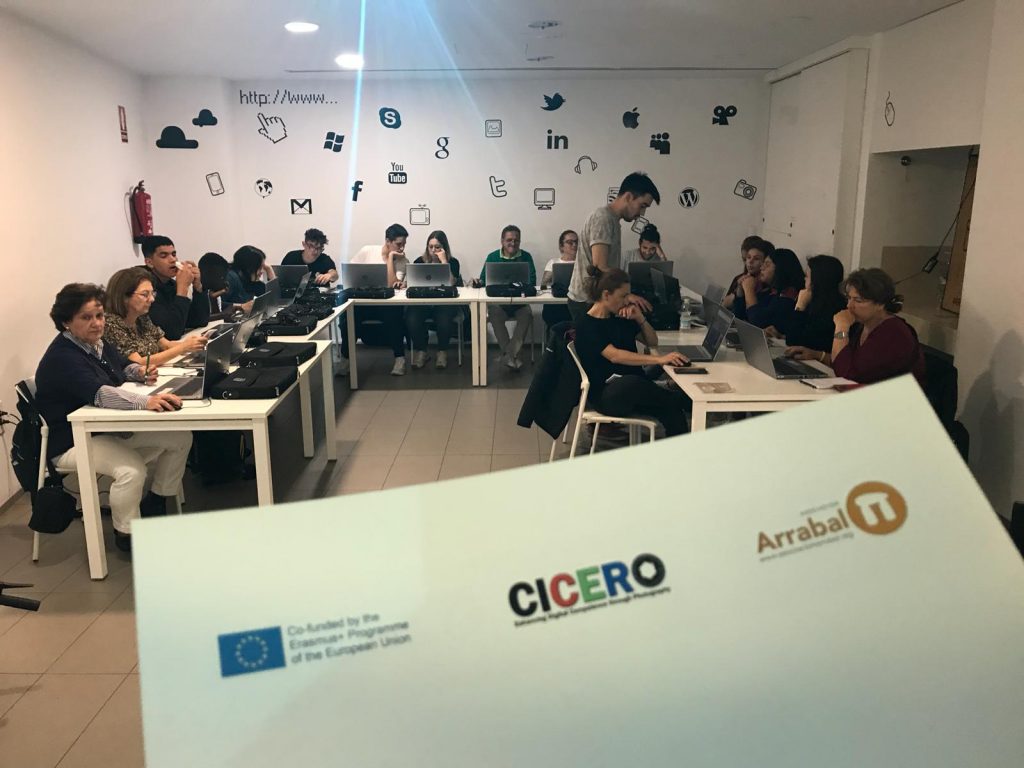
During the first two weeks of class it was imparted two days a week, structured on three hours classes that were divided on indoor lectures and outdoor hands-on training. Most of the people were beginners on photography and wanted to learn the basis of how to deal with their photographic devices (such as DSLR (Digital Single-Lens Reflex) and smartphones cameras) as well as with some technical issues as “how to modify a picture’s size” or “which is the best file extension for uploading pictures to websites”.

We knew that most of the people would not have DSLR cameras, so in first instance, the course aimed to photography throughout smartphone’s cameras. In spite of this, we found out that almost the 40% of the students had a DSLR and they were interested in learn how to use it as they wanted to take advantage of most of their device’s features. We had to adapt the course to each student circumstance so we explained the differences and similarities between devices and creating different groups for the practical session where at least there was one person with a DSLR camera so everybody had the chance to contrast the results produced for each device.

Also, we attended and explained the difference between some smartphones, paying attention to its features and showing some examples of smartphones that have more than one lens, introducing people to how it works.

The students generated a friendly atmosphere of cooperation and communication as they had a keen concern for photography and they felt confident, not only to ask our teacher Alejandro López, but also to talk between them and discuss about different photographic issues and interests.

Parallel to the physical attendance, we proposed to the students to make a WordPress blog about the course where they would be able to upload the photographs taken during the course and leave comments on them. With this section they learned to: create pages and entries on WordPress platforms, choose the most proper size for their pictures to upload them, make a proper description of their photographs (indicating technical data such as the device they used, the lens aperture, the shutter speed value, ISO value, date of the picture, name of the author and title (if given)). The blog can be visited on https://proyectociceroarrabal.wordpress.com/ .

Image Editing with the Smartphone?

Smartphones offer tools for image editing. Most people do not know them or are not experienced enough to use them.

In the CICERO Course, we use PixlR as an app on the smartphone. There exists a web-based tool for tablets or computers as well. Here you see a small example  what we are doing with the tool in the course!

Training Course in Wiener Neustadt/Austria

The CICERO training course started in Austria with February 2020. Twelve people attend currently the course guided by Peter Mazohl, Stefanie Mayrwöger, Harald Makl and Charlotte Gatti as trainers.

The group represents the typical target group of the EBI/EIE with older people. The group is not homogeny in the frame of the used devices – smartphone users are present as well as users of compact cameras and DLSRs.

Currently, the group is in the first Distance Working phase fulfilling various assignments focusing on taking pictures using the guidelines given in the course.

The face-to-face meetings are a well-done mixture of presentations with discussions and practical work in peer groups.

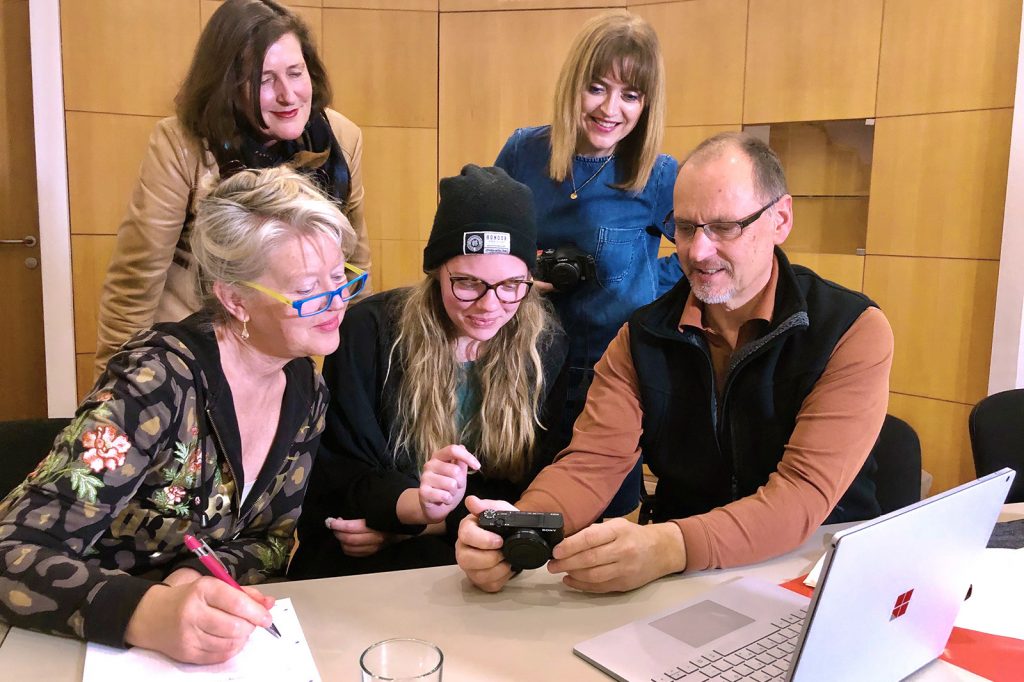
Image: Steffi is working with a peer group focusing on technical features of a compact camera. The topic was the technical background of the exposure-triangle.

JPeG images – most used format with digital cameras

The abbreviation JPG (or JPeG) stands for “Joint Photographic Experts Groups” and has been developed in the beginning of digital photography. The image is compressed by using a specific formula (algorithm) to get a smaller file size.

The JPG format is a typical lossy image format, this means that some information of the image gets lost during the compression. This is done by using not so important information of the image (some details, or less colors). The conversion is destructive, meaning that a recovery of the original image is not possible after the jpeg-compression.

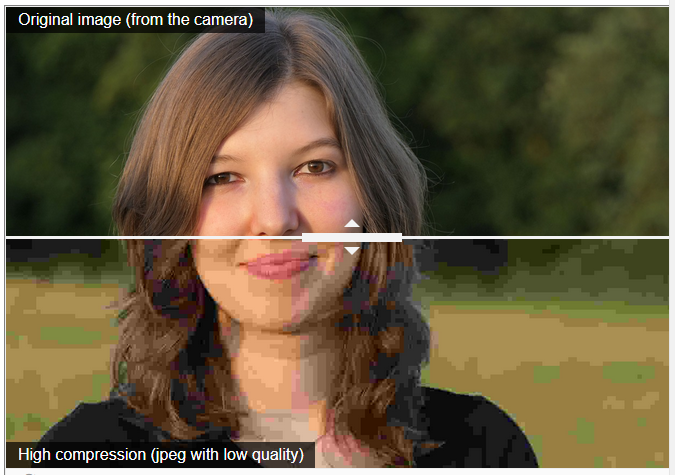
Example for compression

In this example you have the same image with low compression and a high compression that irreversible destroys the image by reducing the granularity of the colors and by creating artefacts. The latter are elements in the image that do not really exist but appear as an effect of the compression.

Source: CICERO training course, author Peter Mazohl (EBI/EIE). This resource is licenced under a CC BY-NC-SA 4.0 License.

Do you know how images are created?

In the frame of the CICERO project a special course focusing on Digital Photography is created with a lot of technical background. The experience of this course will increase your technical knowledge and your digital competences as well.

Here is a short example:

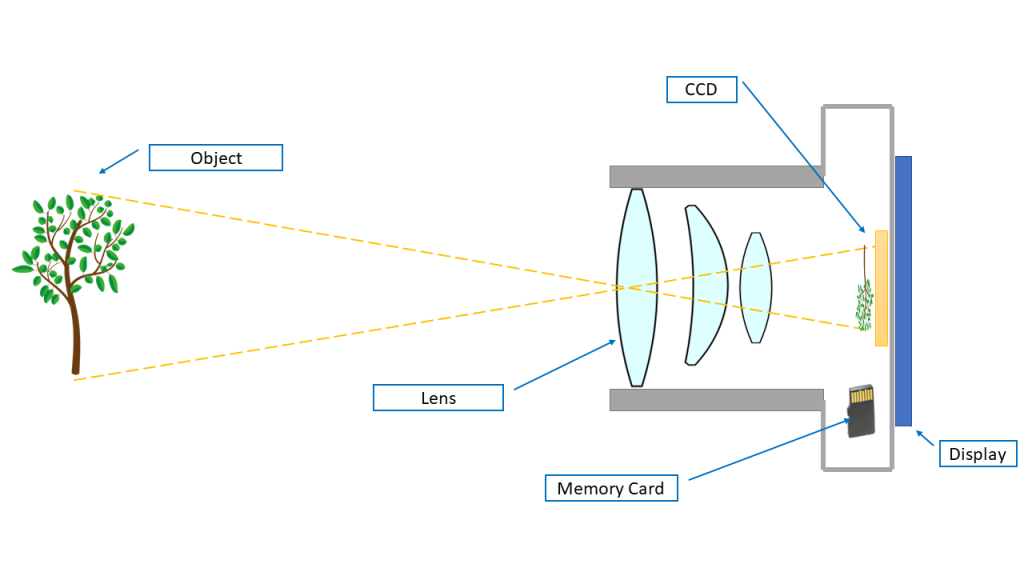
How images are created

For images three items are characteristically: the raster of the image, the colors, and the image size.

Screenshot from the distance learning course.

The CICERO photography course is created as a Blended Learning course and will be implemented in Portugal, Spain, Greece, and Austria. One course started in January in Greece and will begin in February in Austria and Spain.